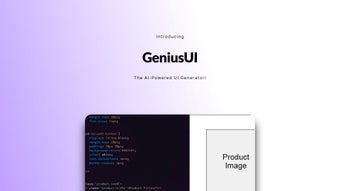

Download GeniusUI – AI‑Powered UI Design and Coding Tool
Overview
In the crowded landscape of UI design software, GeniusUI arrives as a true game‑changer. Built on a sophisticated artificial‑intelligence engine, this tool does more than simply speed up design work—it completely re‑imagines how developers, designers, and product teams approach the creation of user interfaces. By feeding the AI with high‑level requirements such as target platform, brand colors, and functional specifications, GeniusUI instantly produces a full‑featured UI mock‑up, complete with clean, production‑ready code.
The result is a dramatically reduced design‑to‑development cycle, fewer hand‑off errors, and a consistent visual language across web, mobile, and desktop applications. Whether you’re a solo freelancer looking for a fast prototyping companion, a startup racing against product deadlines, or an enterprise team seeking to enforce design standards, GeniusUI offers a secure, scalable, and free‑to‑try solution that integrates seamlessly with modern frameworks like React, Vue, and Flutter. Its intuitive interface, real‑time preview, and one‑click export functionality make it a must‑have addition to any developer’s toolbox, especially in an era where rapid iteration and user‑centric design are non‑negotiable.
Beyond speed, GeniusUI places a strong emphasis on security: all project files are encrypted both in transit and at rest, and the platform complies with GDPR, giving peace of mind to organizations handling sensitive design assets. The AI engine itself learns from each export, continually improving its suggestions, which means the more you use GeniusUI, the smarter it becomes. For teams that value collaboration, built‑in commenting, role‑based access, and version control integration remove the friction that typically plagues multi‑disciplinary workflows.
In short, GeniusUI blends the creative freedom of a design tool with the precision of a development environment, delivering a unified experience that bridges the gap between imagination and implementation.
Key Features That Set GeniusUI Apart
GeniusUI packs a broad set of capabilities that go far beyond simple mock‑up generation. The platform is designed to serve both creative designers who need rapid visual concepts and seasoned developers who demand clean, maintainable code. Below is a detailed look at the most impactful features, each engineered to reduce manual effort while preserving quality and consistency across projects.
- AI‑Driven Design Generation: Input a brief description, target device, and style preferences, and watch GeniusUI craft a polished UI layout in seconds.
- Automatic Code Export: Generates clean, framework‑specific code (React JSX, Vue components, Flutter widgets) ready for immediate integration.
- Component Library Sync: Syncs with popular design systems (Material Design, Ant Design, Bootstrap) to ensure consistency.
- Real‑Time Collaboration: Share live design sessions with teammates, collect feedback, and iterate without leaving the platform.
- Responsive Preview Mode: Instantly toggle between desktop, tablet, and mobile breakpoints to verify fluid layouts.
- Version Control Integration: Connects to GitHub, GitLab, or Bitbucket, allowing you to commit generated code directly from the app.
- Accessibility Checker: AI scans for WCAG compliance, suggesting color contrast fixes and ARIA attributes.
- Secure Cloud Storage: All projects are stored encrypted in the cloud, with optional local export for offline work.
- Continuous Updates: Regular AI model enhancements keep the tool aligned with the latest design trends and coding standards.
- Free Tier with Unlimited Projects: Offers a generous free plan that includes all core features, making it accessible to students and hobbyists.
- Smart Asset Management: Upload logos, fonts, and icon packs once and reuse them across all projects, reducing redundancy.
- Performance Dashboard: Built‑in analytics show render times, export success rates, and AI suggestion accuracy, helping teams fine‑tune their workflow.
Installation, Usage, and Compatibility
Simple Installation Process
Getting started with GeniusUI is intentionally frictionless. The software is delivered as a downloadable installer for Windows and macOS, with additional native apps for Android and iOS. After visiting the official website, click the “Download” button that matches your operating system.
The installer is signed with a trusted certificate, ensuring a secure installation experience. Once the file is saved, run the installer and follow the on‑screen prompts—accept the license agreement, choose an installation folder, and let the wizard complete the setup. The first launch may request permission to access your cloud storage; this step is required for encrypted project syncing.
For users who prefer a portable solution, a lightweight “portable” version is available for Windows, allowing you to run GeniusUI from a USB stick without modifying the host system.
Step‑by‑Step Usage Guide
1. Create a New Project: Click “New Project,” select the target platform (Web, Android, iOS), and provide a concise project brief.
2.
Define Design Parameters: Choose a design system, set primary/secondary colors, and add any branding assets (logos, fonts).
3. Generate UI: Press “Generate.” GeniusUI’s AI interprets the input and presents a full layout, complete with navigation, forms, and interactive elements.
4. Iterate & Refine: Use the built‑in editor to tweak spacing, swap components, or add custom animations. Changes are reflected instantly in the live preview.
5. Export Code: Choose the desired framework, click “Export,” and download a zip file containing ready‑to‑run source code.
6.
Collaborate: Invite team members via email, assign roles, and comment directly on design elements. All feedback is captured in the project timeline.
7.
Version Control & Deployment: Push the exported repository to your Git provider, then trigger CI/CD pipelines for automatic deployment.
8. Maintain & Update: As design requirements evolve, return to the project, adjust the AI prompt, and re‑export without losing prior version history.
Platform Compatibility
GeniusUI runs natively on Windows 10/11 (64‑bit) and macOS 12 Monterey or later. Mobile companions are available for Android 8.0+ and iOS 13+. The cloud‑based engine ensures consistent performance across devices, while the desktop clients leverage local GPU acceleration for faster rendering.
Additionally, the exported code supports modern browsers (Chrome, Edge, Firefox, Safari) and adheres to ECMAScript 2022 standards. System requirements include at least 8 GB RAM, a dual‑core processor, and a GPU that supports OpenGL 3.3 or higher for optimal preview quality. For low‑spec machines, a “lite mode” reduces visual fidelity while preserving core functionality, ensuring that even older hardware can benefit from AI‑driven design.
Pros, Cons, and Frequently Asked Questions
Pros & Cons
Like any powerful tool, GeniusUI shines in many areas while still leaving room for improvement. Below you’ll find a balanced view that highlights the most compelling advantages as well as the practical limitations that users have reported.
- Pros:
- Rapid AI‑generated UI saves weeks of manual design work.
- One‑click export produces clean, framework‑specific code.
- Free tier includes unlimited projects and core features.
- Built‑in accessibility checks help meet compliance standards.
- Secure cloud storage with end‑to‑end encryption.
- Real‑time collaboration reduces feedback loops.
- Version control integration streamlines DevOps pipelines.
- Continuous AI model updates keep the tool future‑proof.
- Cons:
- Advanced customization may require manual tweaking of exported code.
- AI suggestions can be overly generic if the input brief lacks detail.
- Performance depends on internet connectivity for cloud rendering.
- Some niche frameworks (e.g., Svelte, SolidJS) are not yet supported.
- Initial learning curve for non‑technical designers unfamiliar with AI prompts.
FAQ – Your Most Common Questions Answered
Is GeniusUI really free to use?
Yes. GeniusUI offers a completely free tier that includes unlimited projects, AI‑driven design generation, and code export for popular frameworks. Premium plans add advanced collaboration tools, priority support, and higher‑resolution rendering.
Which design systems does GeniusUI support?
Out of the box, GeniusUI integrates with Material Design, Ant Design, Bootstrap, and Tailwind CSS. Users can also import custom component libraries via JSON configuration.
Can I export code for frameworks other than React?
Absolutely. The export wizard lets you choose between React (JSX), Vue (Single‑File Components), Angular (TypeScript), and Flutter (Dart). Future updates promise support for Svelte and SolidJS.
How secure is my data on GeniusUI’s cloud?
All project files are encrypted at rest using AES‑256, and data in transit is protected by TLS 1.3. GeniusUI complies with GDPR and offers two‑factor authentication for added account security.
What kind of support is available for free users?
Free users have access to community forums, an extensive knowledge base, and email support with a 48‑hour response window. Premium subscribers receive live chat and priority ticket handling.
Conclusion & Call to Action
GeniusUI is more than a design assistant—it’s a full‑stack productivity engine that bridges the gap between creative vision and functional code. By automating repetitive UI tasks, it empowers teams to focus on higher‑level problem solving, user research, and feature innovation. The combination of a generous free tier, secure cloud architecture, and broad framework compatibility makes it an attractive choice for developers at any stage of their career.
If you’re looking to accelerate prototyping, reduce hand‑off friction, and deliver consistent, accessible interfaces, downloading GeniusUI today could be the most strategic move you make this quarter. The onboarding experience is quick, the learning curve is shallow for anyone familiar with modern design tools, and the AI continuously improves as you use it, ensuring you stay ahead of design trends. Don’t let manual UI work slow down your product roadmap—let GeniusUI handle the heavy lifting while you concentrate on building experiences that delight users.



.png)



